Forge Events
Meetings, trainings, and conventions in one place
Running a meeting, a training, or a convention usually means registration in one tool, the schedule in another, and the roster in a spreadsheet. Forge Events keeps registration, schedules, sessions, and follow-up on one member record.
What Forge Events handles
Registration, the day itself, and what comes after
Registration and rosters
Invited members register in the app. Staff see RSVPs and rosters before the doors open.
Personalized schedules
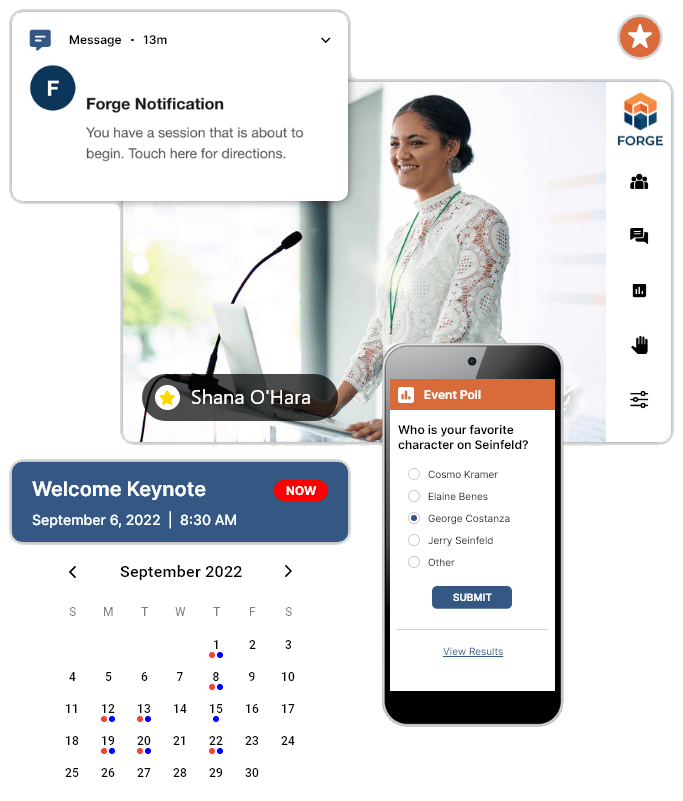
Attendees see their own schedule on their phone, with a reminder and directions when a session is about to begin.
Sponsors and follow-up
Sponsor details sit with the event, and follow-up stays on the same member record after the doors close.
The Mosaic Learning mobile app made running our 2025 Convention smooth and stress-free. Our members could easily access schedules, resources, and updates right from their phones.
Frequently asked questions
Common questions about Forge Events
What is Forge Events?+
Forge Events runs meetings, trainings, conferences, and conventions in one system, tied to the member record. Registration, schedules, sessions, and follow-up stay together.
What kinds of events can we run?+
Meetings, trainings, conferences, and conventions. The same system covers registration, personalized schedules, live sessions, sponsors, and follow-up.
Do members see their own schedule?+
Yes. Attendees get a personalized schedule in the app, with reminders and directions when a session is about to begin.
How do we get started?+
Schedule a 30-minute walkthrough. Bring an event you run today, and we will show you how registration, the schedule, and follow-up work in Forge Events.
Explore more of Forge
See the rest of the platform
See Forge Events with an event you already run
Schedule a 30-minute walkthrough with our team. Bring a meeting, training, or convention, and we will show you how it works in Forge Events.